Data verification runs as a separate process that is tightly coupled to a migration job. Data verification runs by default for one-time migration jobs. This page details how to manage and debug the data verification process.
Note
This page describes the verification engine in Relational Migrator 1.18 or later. Earlier versions check only primary key values, verify a narrower range of schemas, and run more slowly. To use these verification features, upgrade to 1.18 or later.
Enable or Disable Data Verification
Data verification runs by default when you create a migration job on the Data Migration tab. In Migration Options, the Verify migrated data check box is selected by default.
To skip verification, clear the Verify migrated data check box before you start the migration job.
Note
The Data Verification process can take as long or longer than the data migration job. You can click Terminate to cancel a Data Verification process.
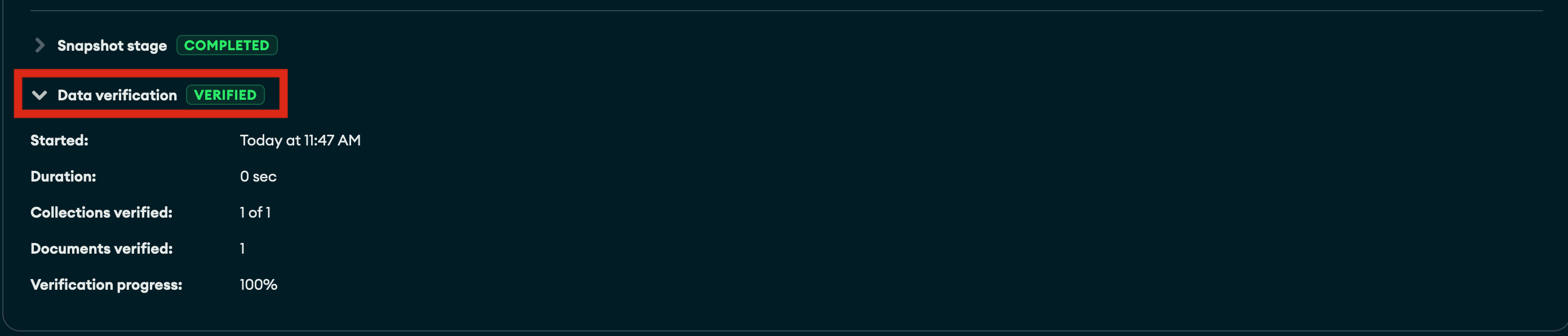
To view status and metadata information about the data verification process for a migration job, click the Data Verification drop-down menu:
Data Verification Overview
On the Data Verification pane, you can view the metadata about a migration jobs verification process.
Syntax | Description |
|---|---|
Verification Status | The state of the verification process. |
Started | The date time stamp that data verification process started. |
Duration | The total elapsed time of the data verification process. |
Collections verified | The total number of collections verified by the data verification process. |
Documents verified | The total number of documents verified by the data verification process. |
Verification progress | A real time percentage indicator of total work completed by the data verification process. |
Data Verification Statuses
A data verification process can be any of the following statuses:
Status | Description |
|---|---|
ABORTED | A running data verification was unable to complete due to an error. |
CANCELLED | The data verification process was cancelled by clicking Terminate. |
CANCELLING | The data verification process is being canceled. |
FAILED | The source and destination databases do not match. The corresponding errors are listed on the Job Update Log pane. |
VERIFIED | Data verification is successful, the source and destination databases match. |
VERIFYING | The data verification is in progress. Backend SQL and MongoDB query API commands are running to validate the migration. |
Successful Data Verification
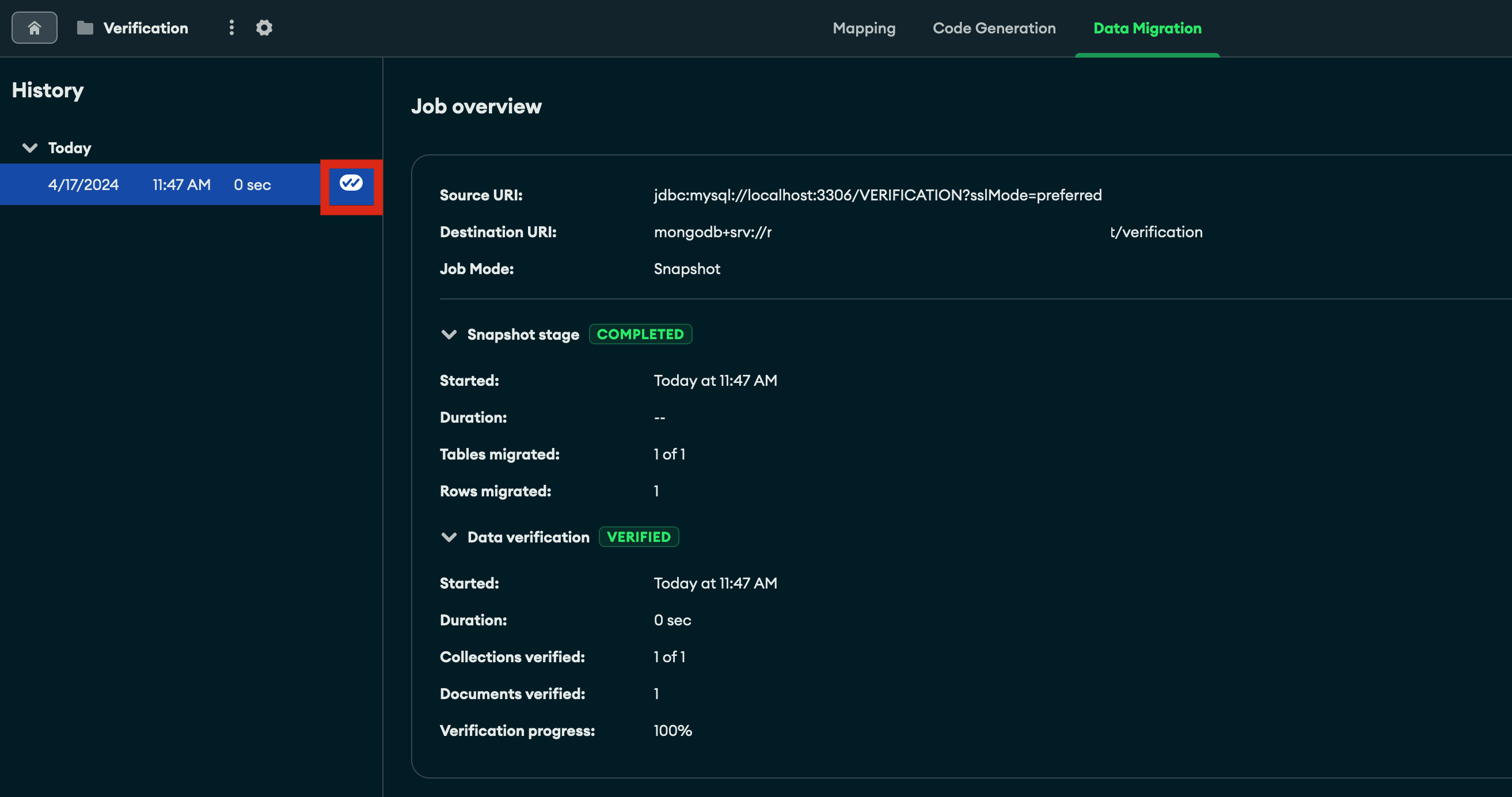
When a migration job is successful the status updates to Verified and a double checkmark is displayed in the History pane:
Data Verification Issues
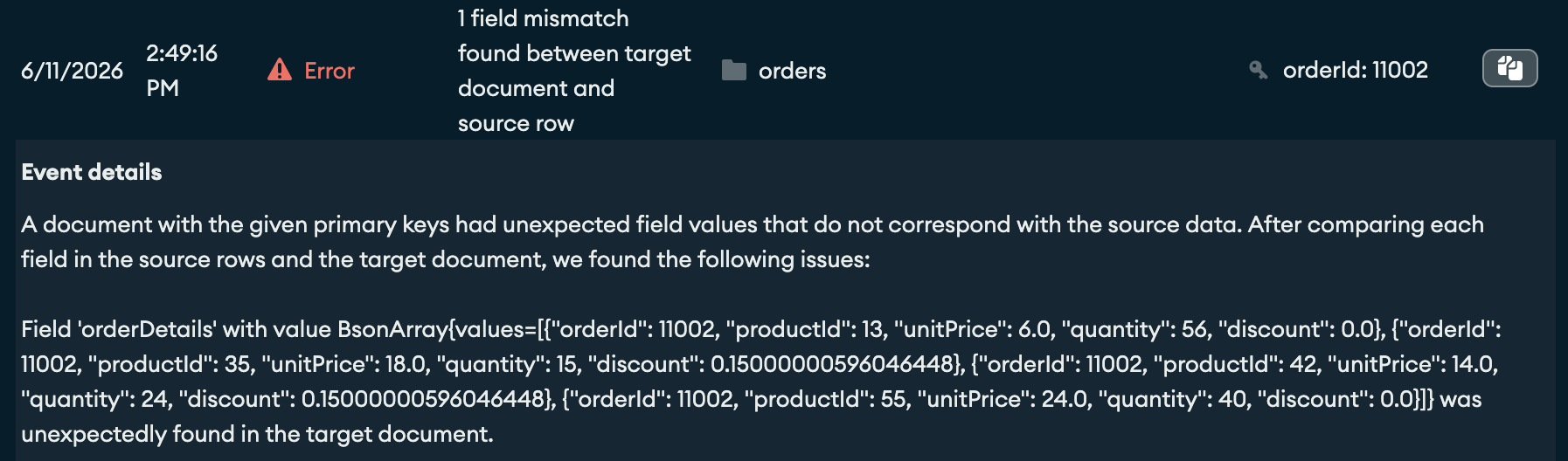
If the data verification process detects any differences between the source database and destination collections, the errors are reported in the Data Verification Job Update Log pane. The verification engine reports specific errors, including mismatched field names, data types, field paths, and values. The verification engine also reports missing or unexpected destination documents and skipped collections or fields.
In this example, the verification engine detected one mismatched field between a source row and its destination document in the orders collection:
The event summary shows the mismatch type, the affected collection, and the primary key value of the affected document.
The Event details section lists each field difference that the verification engine found.